Case study
Mastering SAP Collaborate
An event website that builds each visitor a personal guide to the day, using the live agenda. I scoped, designed, built and launched it for SAPinsider’s Mastering SAP Collaborate event in Singapore.
- Client
- SAPinsider · Mastering SAP
- My role
- Strategy, design, development, integrations. Largely on my own.
- When
- Spring 2026
- Status
- Live · collaborate.
masteringsap.com
01The situation
Mastering SAP runs events for people who work with SAP systems. Revenue comes from tickets. The existing site was a WordPress build that felt about ten years old, and the brief was to modernize it, keep both the company and event brands, and support ticket sales.
Talking it through with the event team, the useful observation was that the agenda page answers “what’s on,” but a prospective attendee is really asking two things: is this worth it for someone in my role, and how do I get it approved? A visual refresh alone wouldn’t touch either. So the site was built around answering those two questions per visitor.
02How it works
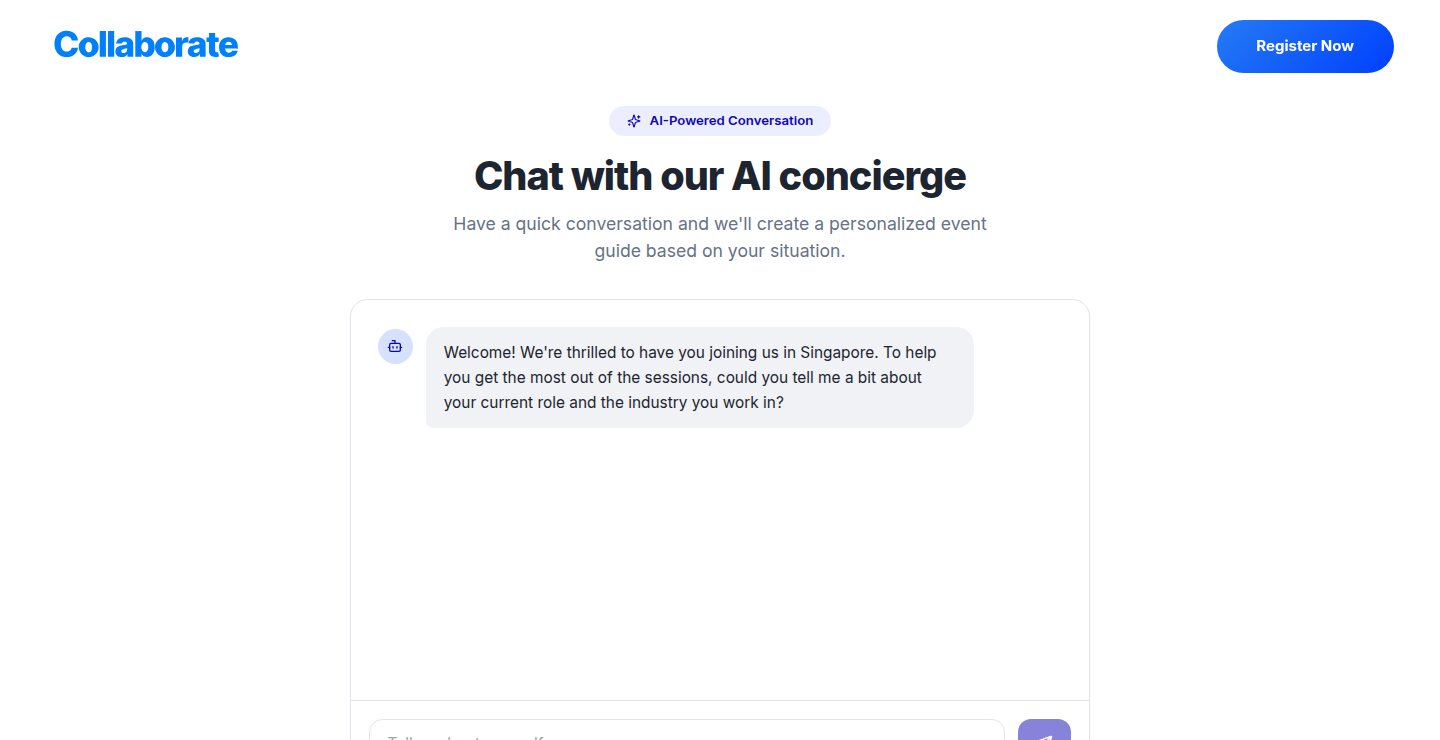
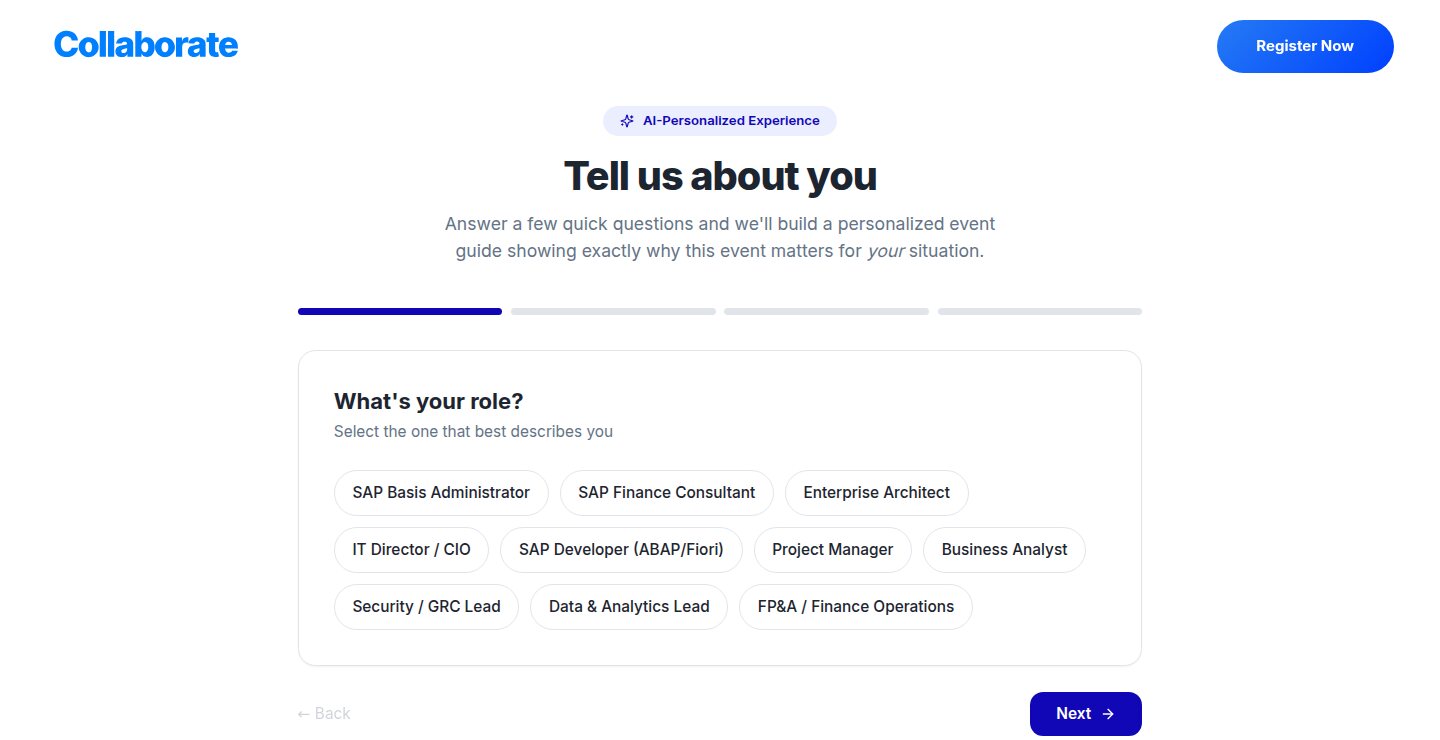
A visitor describes their role and what they’re working on. They can type it, dictate it, pick a role and answer a few guided questions, or have a short chat with a concierge that asks follow-ups until it has enough. All four routes lead to the same result.
03What they get
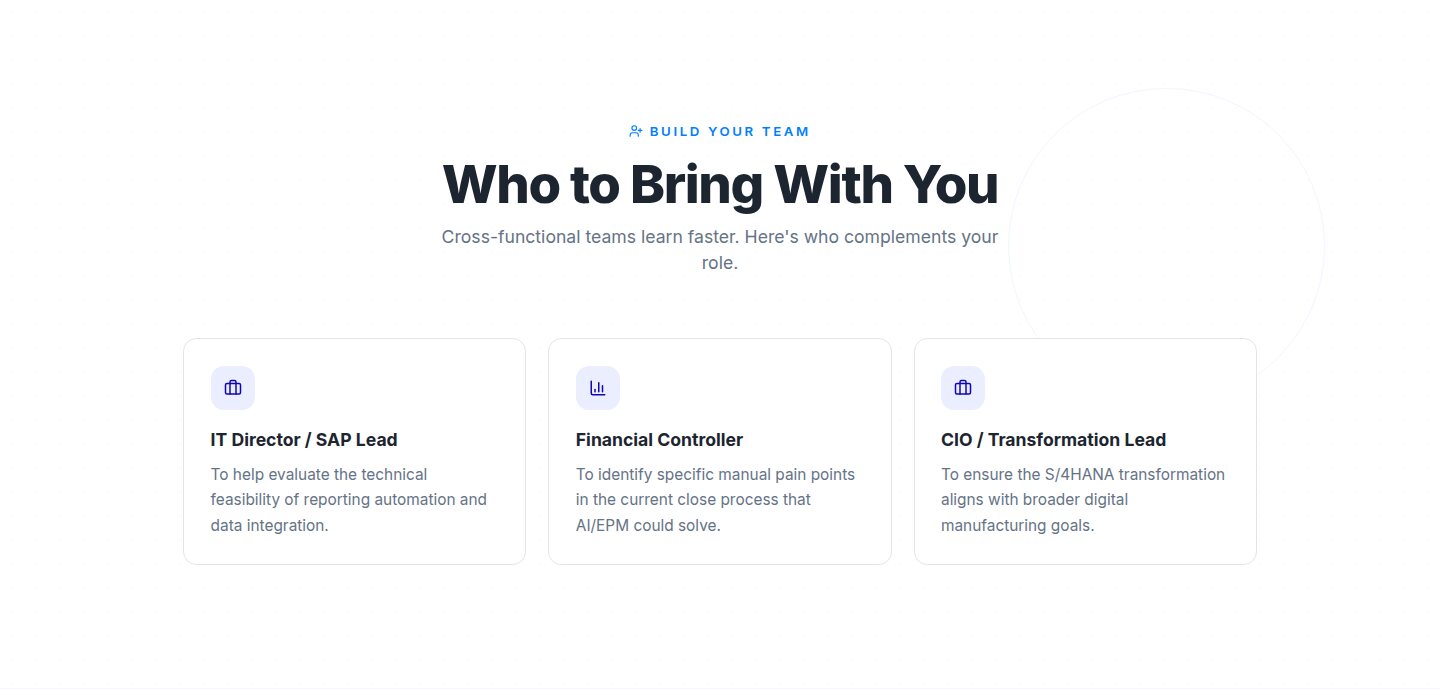
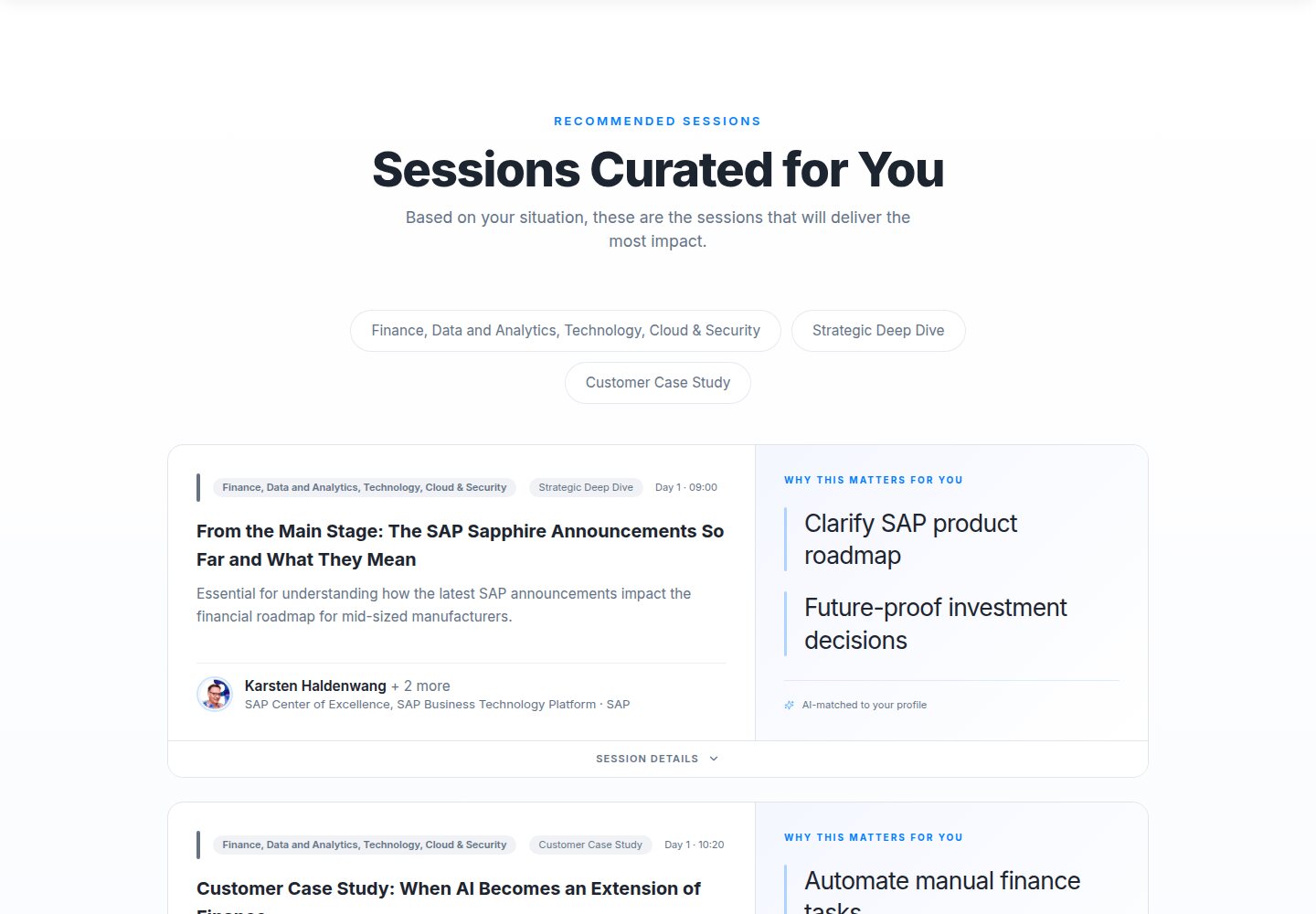
A page with its own link, not a chat reply. Six sections: recommended sessions with a reason for each, who to bring, who they’ll meet, how to get approval, venue, and pricing. Because it’s a page, it can be forwarded to a manager or a colleague, which is how a single ticket becomes a team registration. In a test with a generic profile, it was ready in about 12 seconds.
04What I did
- Scoped it with the event and business stakeholders, and reframed the brief from “modernize” to “help each visitor decide.”
- Designed it inside the existing brands: the full event site plus the personalization flow and the generated pages.
- Built it, front end and backend, including the integration with the organizer’s event platform, using AI-assisted development with every change reviewed.
- Set it up to run without a content team: the agenda syncs automatically, and there’s an admin view of what visitors ask for and which guides get used.
05How it’s built
I built it as a React single-page app on a Supabase backend: Postgres, file storage and server-side functions. The AI work runs in those functions, and event content syncs from Swoogo, the organiser’s event platform, rather than being maintained by hand.
Browser
- Event site: agenda, speakers, sponsors, venue, passes, registration
- Four ways in, including voice capture
- Personalized pages with shareable links and short aliases
- Admin console behind a role-based login
Backend
- Page generation: visitor context in, stored guide out
- Conversation to profile: the chat returns a structured profile once it has enough
- Speech to text for voice notes
- Approval business case from role, goals and top sessions
- Records: sessions, speakers, generated pages with view counts, prompt log, sync log
External
- Swoogo: sessions and speakers synced in, with a drift check and an issue log
- AI model APIs, called only from server-side functions
- Behaviour analytics with an event for AI page requests
Model choice and prompts run server-side, so they are not visible in the page itself.
06Decisions worth explaining
- Live event data, not copy-paste. Sessions and speakers are pulled from Swoogo into Postgres, so guides are built from the real agenda. An admin can run a full sync, which reports counts and duration, and a drift check compares the database against the Swoogo API and records every difference. Each sync keeps an issue list graded error, warning or info.
- Generated pages are durable objects. Each guide is stored at its own address rather than rendered once and thrown away, so a visitor can share it and view counts show whether it gets used.
- Model output is treated as untrusted. The page drops empty or trivial session reasons, strips stray formatting from structured fields, and shows a plain error instead of a broken page when generation fails. A failed view-count update never blocks the page.
- The conversation has a clear hand-off. The concierge chat signals when it holds a complete, structured profile; only then does generation start.
- Built to be operated. An admin prompt log shows what visitors asked, how they came in and how the resulting pages performed, behind a role-based login.
07A measured run
Test profile: a finance manager at a mid-size manufacturer preparing for an S/4HANA finance transformation, interested in close automation and reporting. The guide tagged the visit “S/4HANA Finance · Manufacturing · Close Automation”, recommended sessions each with a reason tied to that profile, and suggested bringing an IT Director, a Financial Controller and a CIO, with a reason for each.
One run on the public site in September 2026, with a generic, anonymous profile. It is a single timed example, not an average: no usage, success-rate or conversion figures are claimed.
Live in production for Mastering SAP Collaborate Singapore, May 2026. Try it with your own role.